SYSTEM AND NETWORK MONITORING
Keep an eye on what matters.
Simple Monitor is a self-hosted monitoring system with a built-in web interface. Review device and sensor status, investigate alarms, and see how your systems are performing from one place.
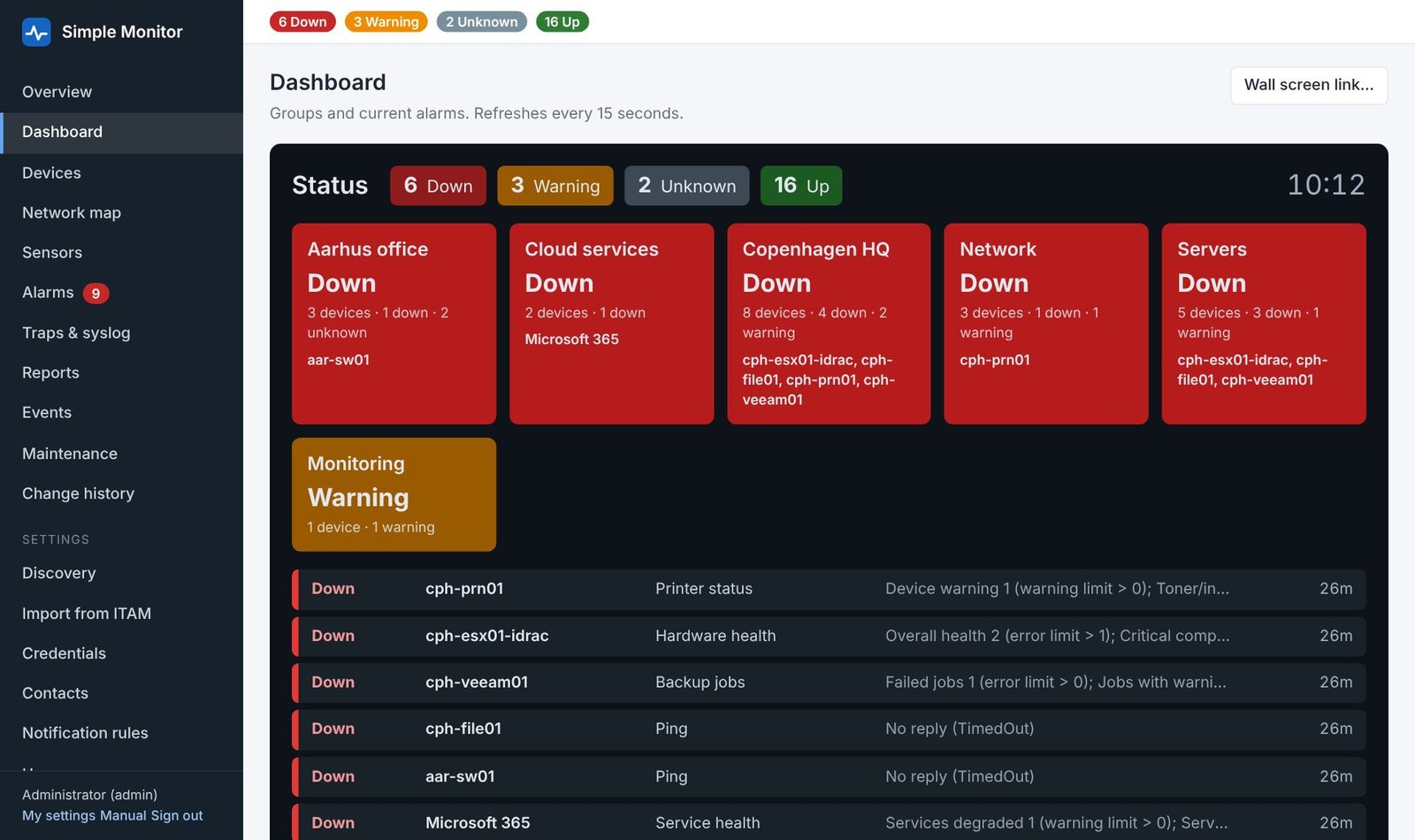
Explore the interface
Additional views supplied with Simple Monitor 1.8.2.
Detailed features
Overview, maps, and device organisation
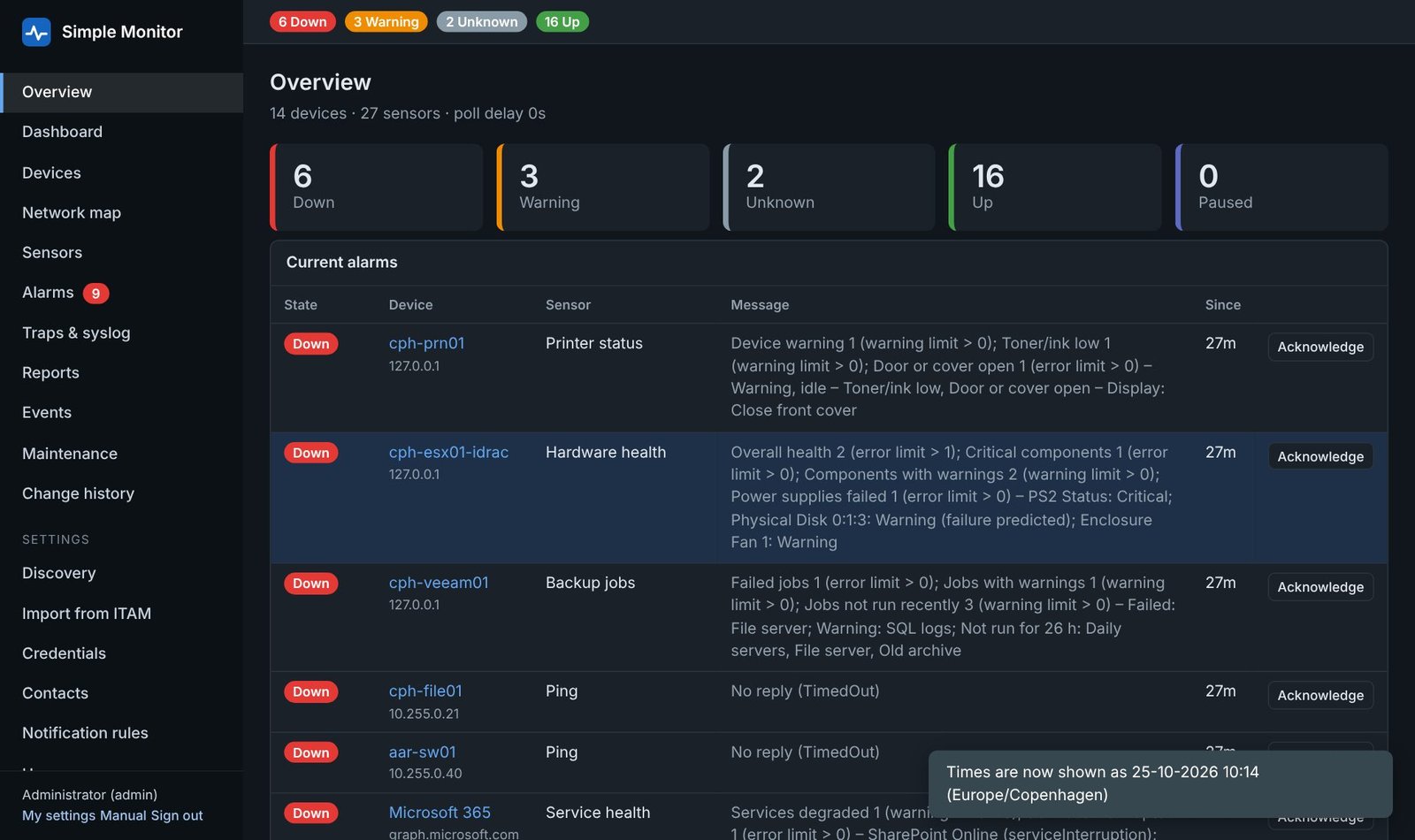
- At-a-glance status: an overview and dashboard show Up, Warning, Down, Unknown, and Paused sensors, grouped devices, and current alarms.
- Wall display: create a dashboard view for an operations screen, with automatic refresh.
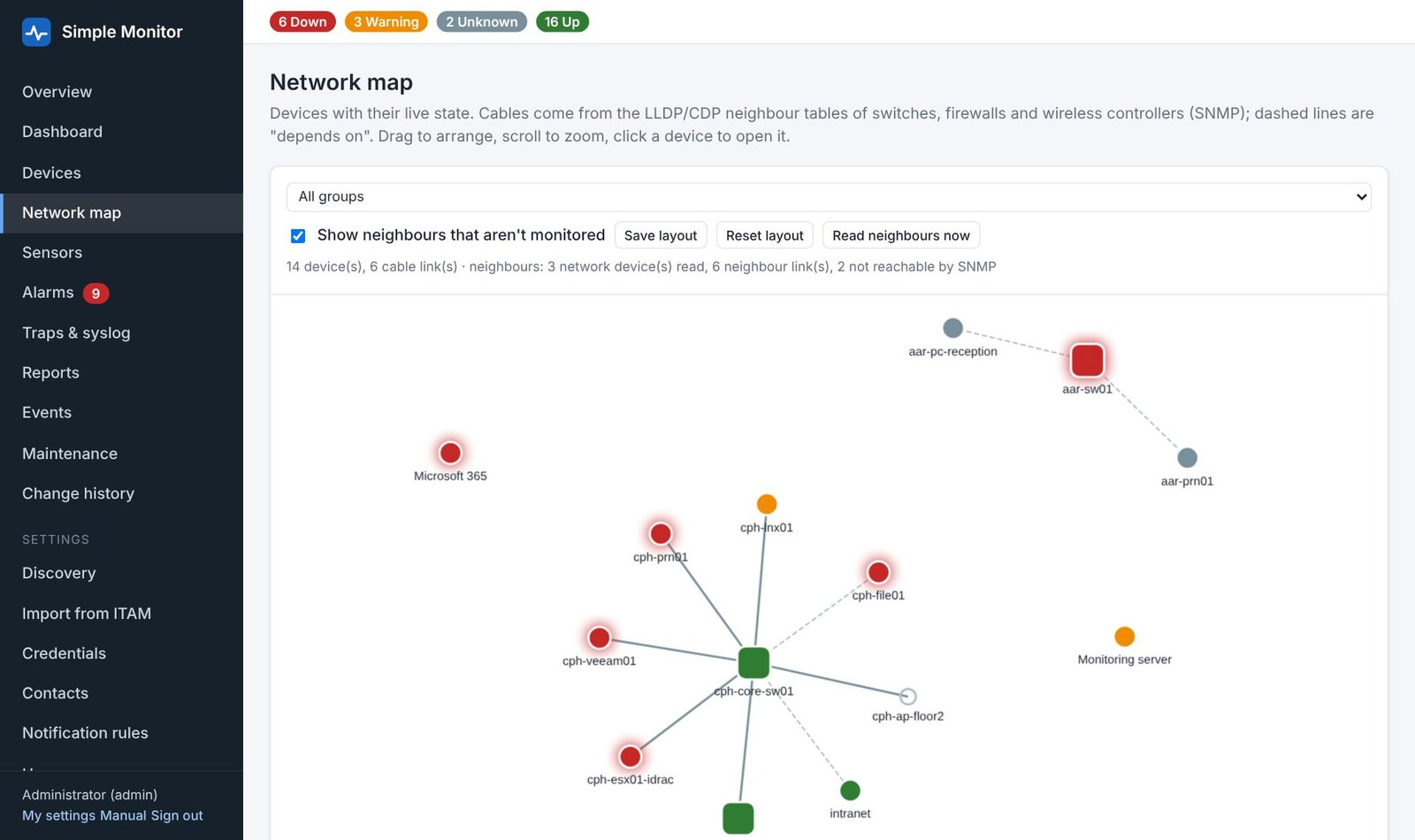
- Network map: view device status and dependencies, with discovered LLDP/CDP connections where supported by network equipment.
- Discovery and templates: scan selected address ranges, review detected devices, add standard sensors, use group templates, and make bulk changes.
- Simple ITAM import: import device information from a configured ITAM REST API and organise it into monitoring groups.
Server and application monitoring
- Windows: CPU, memory, uptime, disk space, automatic services, patch status, pending reboots, and selected event logs through WMI.
- Linux and AIX: disk, load, memory, and platform-specific checks through SSH; AIX includes paging space and SRC subsystems.
- IBM i and HMC: system resource and job checks, subsystem status, managed systems/LPARs, and hardware events.
- VMware and Hyper-V: host and VM state, required running VMs, datastores, snapshots, alarms, health, and replication as supported by the platform/API.
- Business services: SQL Server database and backup checks, failed Agent jobs, DHCP scope use, AD replication, scheduled tasks, Veeam backup jobs, and Microsoft 365 service health.
Network, hardware, and web checks
- Connectivity: ping response time and packet loss, TCP ports, DNS lookups, and general SNMP OID values, rates, or deltas.
- Network equipment: supported Cisco device resource and health checks, interface traffic/utilisation/errors/status, and wireless controller AP/client counts.
- Hardware: UPS charge/runtime/load, printer status/supplies/trays, and server hardware health through Redfish for supported iDRAC, iLO, XCC, and other controllers.
- Web and certificates: HTTP(S) status and content, certificate expiry, step-based web checks, and values from JSON endpoints.
- Events and files: receive traps and syslog with matching rules; monitor supported file/folder conditions and Active Directory account conditions.
Sensors, thresholds, and history
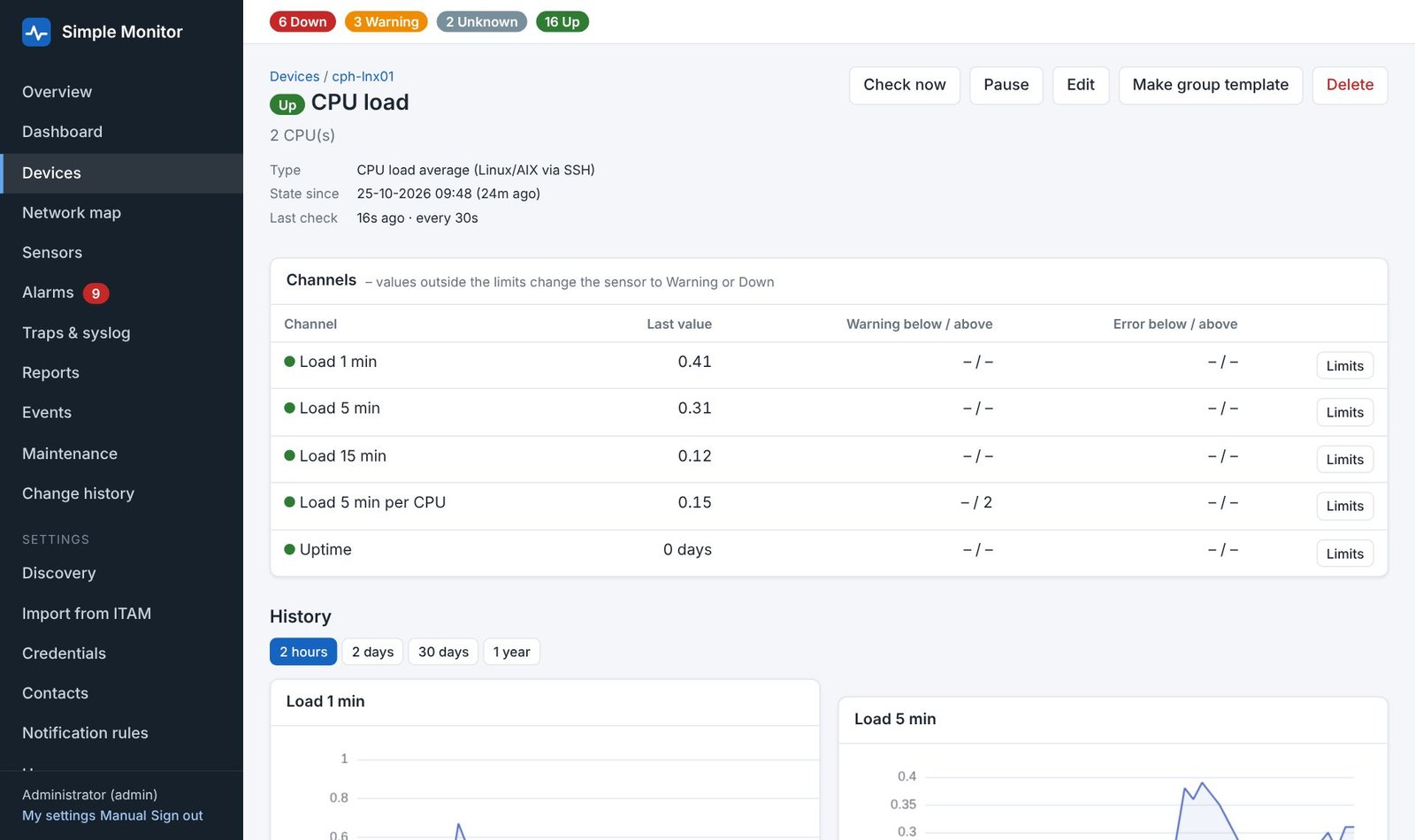
- Multi-channel sensors: record several measurements per check, each with its own warning and error limits.
- Check controls: configure intervals and failure counts, run a check immediately, and pause or resume monitoring.
- History and availability: inspect sensor charts and event history, produce availability reports, and configure raw-data and hourly-summary retention.
- Custom checks: extend monitoring with PowerShell scripts, SSH commands, HTTP JSON values, WMI queries, and SNMP sensors.
Alerts and incident handling
- Delivery channels: e-mail, SureSMS, Teams workflows, Slack, webhooks, scripts, and supported browser/device push notifications.
- Notification rules: set delays, repeat intervals, escalation contacts, and recovery notifications.
- Less alert noise: group related incidents and dependent-device failures, batch messages, and use one-off or recurring maintenance windows.
- Acknowledgements: track handled alarms and stop repeat/escalation messages, including acknowledgement links in supported notifications.
Access and administration
- Roles: Administrator, Operator, and Read-only access, with local, Active Directory, and Microsoft Entra sign-in options.
- Local two-step login: authenticator-based verification, recovery codes, and options to require it for administrators.
- Configuration: encrypted stored credentials on Windows, optional per-sensor credentials, change history/undo, REST API access, and configuration export without passwords.
- Operations: built-in HTTPS setup, nightly/on-demand backups, monitoring-server health checks, a watchdog endpoint, and signed update-package validation.
- Display: dark mode, a phone-friendly layout, and configurable date, time, and time-zone preferences.
Deployment and requirements
Run Simple Monitor on a supported Windows server or PC with the ASP.NET Core Runtime 10 and network access to the systems being monitored. Sensors require the relevant protocol, API, permissions, and credentials. External notification services need separate configuration; phone push requires trusted HTTPS.
Feature descriptions are based on the supplied 1.8.2 source and documentation. Some platform-specific checks in this release were validated with simulators or sample data; verify them in your environment before relying on alerts.
Downloads and availability.
Simple Monitor will be free to download. A public download link will be added here when the release package is ready. Contributions through Buy Me a Coffee are optional and never a condition of using the tools.